Tool3 min read
Bookmark sorter: a little order for saved links
A personal Chrome workflow that uses Claude to sort new bookmarks, while keeping the collection searchable and easy to correct.
- Python
- Chrome extensions
- Claude Code
- macOS
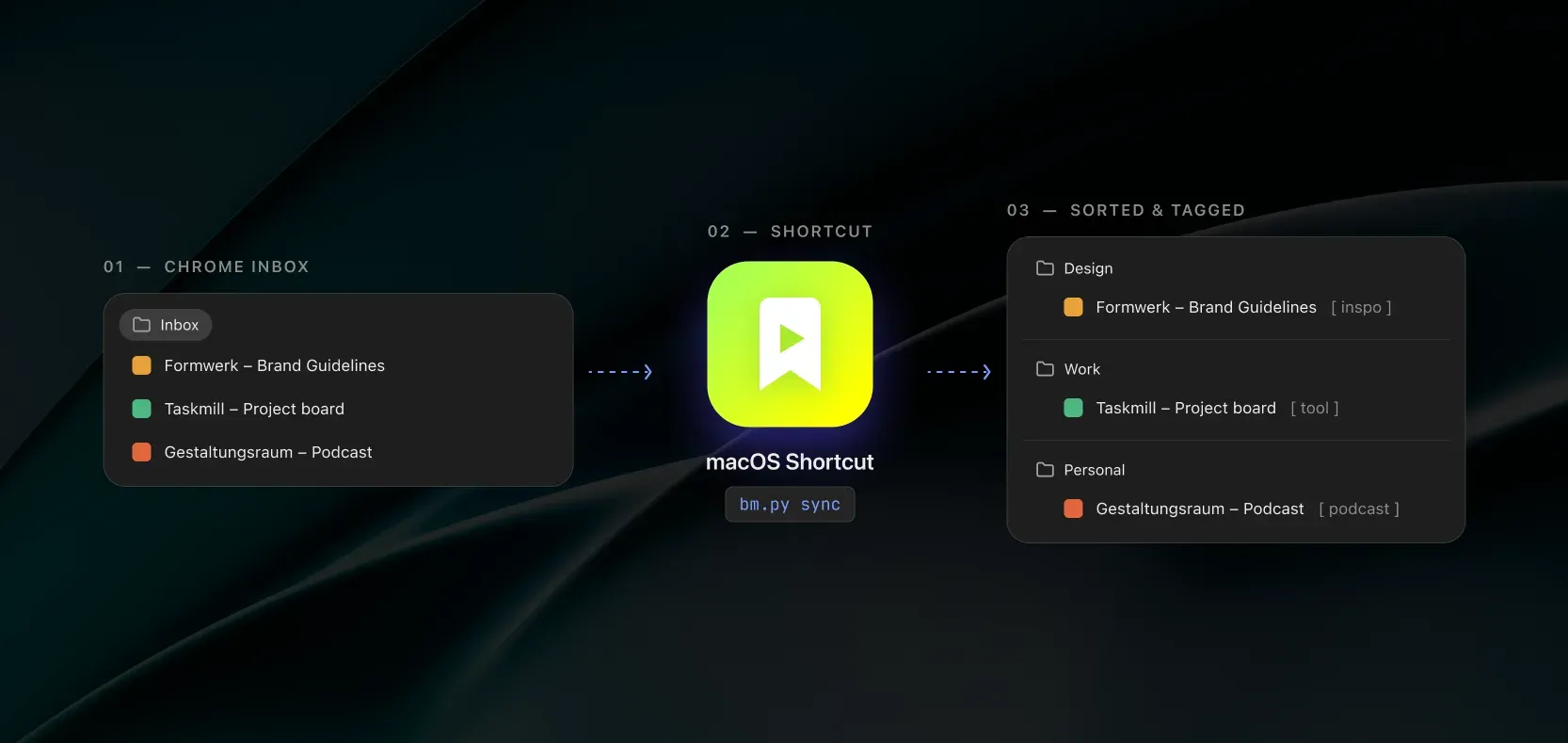
I save a lot of links: tools to try, design references, articles and things I might need for a project later. Saving them is easy. Finding the right one months later is less straightforward.
This is a small personal tool for keeping that collection useful without stopping to organise every link as I save it. New bookmarks go into an Inbox in Chrome. When I am ready, a macOS shortcut starts the sorting process.
From inbox to folders
A small Chrome extension reads the bookmarks and passes them to a local Python script. The script compares them with the previous collection, then asks Claude Code to categorise the links in the Inbox using the folders and tags I already have. The macOS shortcut is simply a quick way to start that local command when the Inbox has collected enough links.
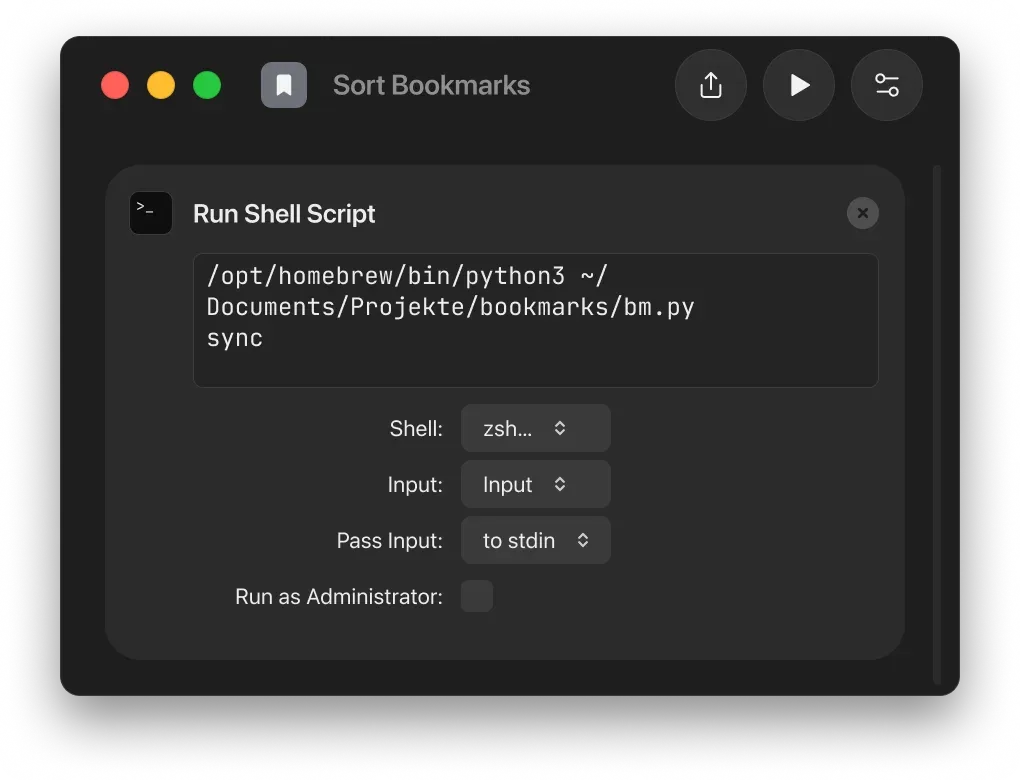
The extension applies the result in Chrome: it moves bookmarks, tidies titles and adds tags in brackets. Those tags remain part of the title, so they are searchable directly in Chrome. Changes I make manually in the browser are picked up on the next sync.
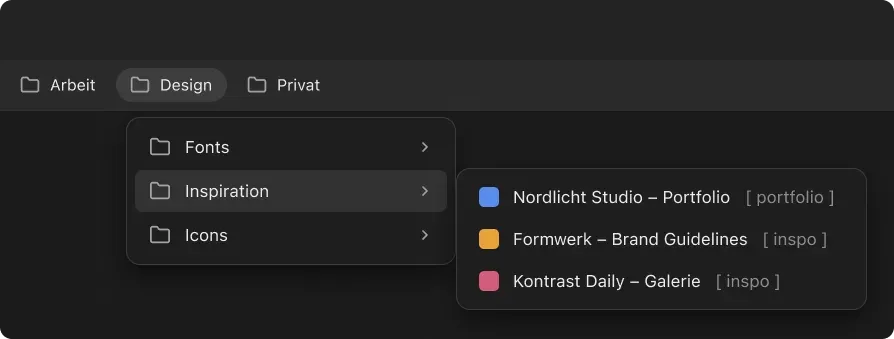
The categories are deliberately mine. Claude works from a list of folders, descriptions of the tags and examples from the existing collection. If a link is difficult to classify, it can stay in the Inbox marked for review. I can also move anything myself or undo the last sync from a local backup.
A different view of the same collection
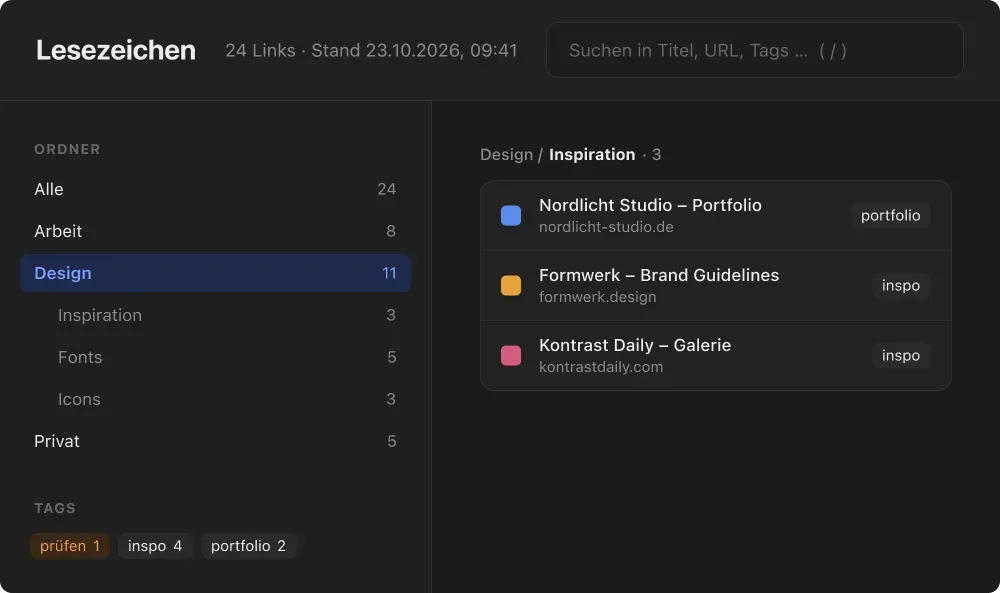
The tool also generates a local browser view with a folder tree, search and tag filters. It gives me another way to browse the collection without introducing a separate service or changing where the bookmarks live. Chrome remains the place where I save and edit them.
What gets sent to Claude
The sorting step sends the titles and URLs of eligible Inbox links to Claude Code, along with the folder and tag definitions and examples of existing bookmark titles and tags. Query strings and fragments are removed from the URLs by default. A configurable blocklist keeps selected domains or paths out of the request, and non-web links stay local.
Those safeguards don’t make every link safe to send. A title or URL path can still contain private information, so I need to pay attention to what goes into the Inbox before running the shortcut. The sync can also run without AI, although that still changes the bookmarks in Chrome.
Try it yourself
The bookmark collection and its backups stay on my machine. The public repository contains a separate copy with example bookmarks and a starter folder structure, so you can try the local viewer without connecting Chrome or Claude. The README also walks through setting up your own collection and adding the shortcut to the Dock.
It’s still a personal setup for macOS and Chrome rather than a packaged app. The interface and sorting instructions are currently in German, and the actual classification requires Claude Code. The first sync can change bookmarks in Chrome, so the setup starts with a backup and a small test collection.
The interesting part for me is the workflow: save first, sort in a batch, and keep the final structure easy to inspect and change.